
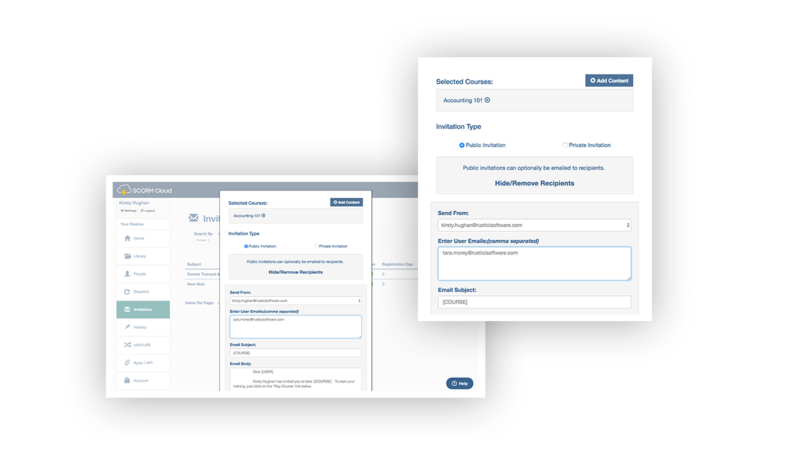
Deliver courses directly to learners
SCORM Cloud Invitations are a simple way to deliver courses to learners and track results. After uploading a course to SCORM Cloud, choose from Public or Private Invitations to share your courses with learners. Public Invitations help you generate a public link that you can post anywhere. Private Invitations let you control access to training by sending your course directly to learners via email.
Learn more about Invitations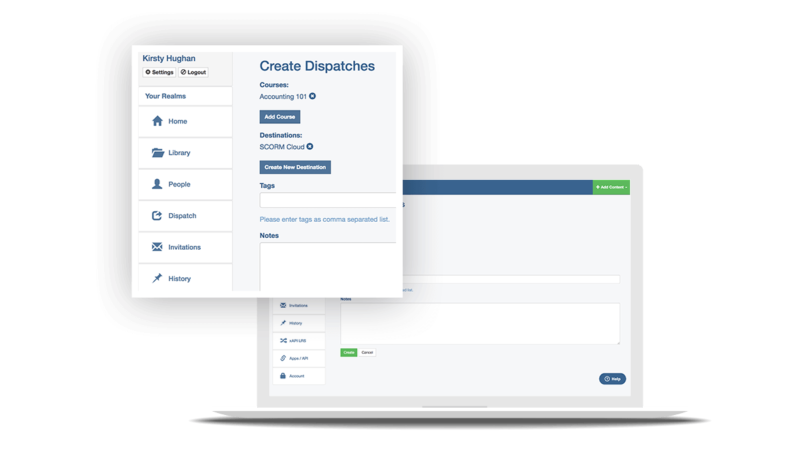
Share access to your courses with third-party LMSs
SCORM Cloud Dispatch helps you deliver your courses to other LMSs or learning systems while hosting your content in your SCORM Cloud account. Use Dispatch to ensure your course can play in any LMS, seamlessly update the new version of a course in multiple LMSs, disable course access when a license expires and consolidate data about content usage across learning platforms.
Learn more about Dispatch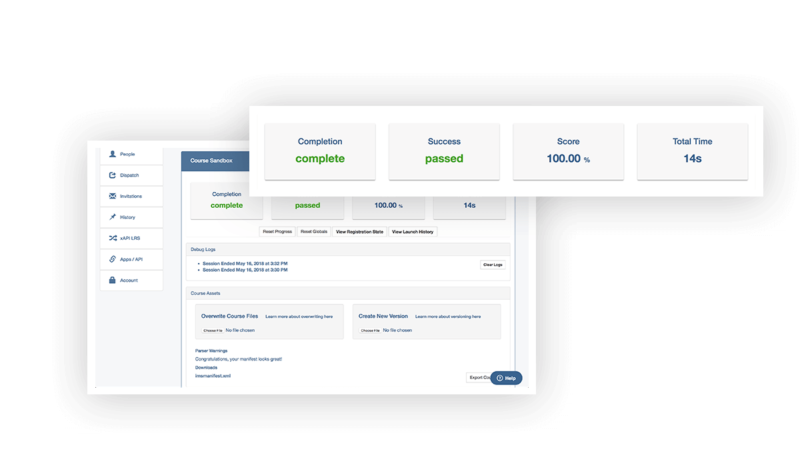
Test how eLearning content will play in an LMS
As the eLearning technology experts, we’ll make sure that any tool you use will support LTI, SCORM, xAPI, cmi5 and AICC so it works well with all other tools in your ecosystem. Just upload your course, preview your content in the sandbox and use the debug logs to troubleshoot any issues. SCORM Cloud doesn’t test for strict technical conformance. Instead, it gives you visibility into what’s actually happening while the course is importing and running.
Learn more about testing content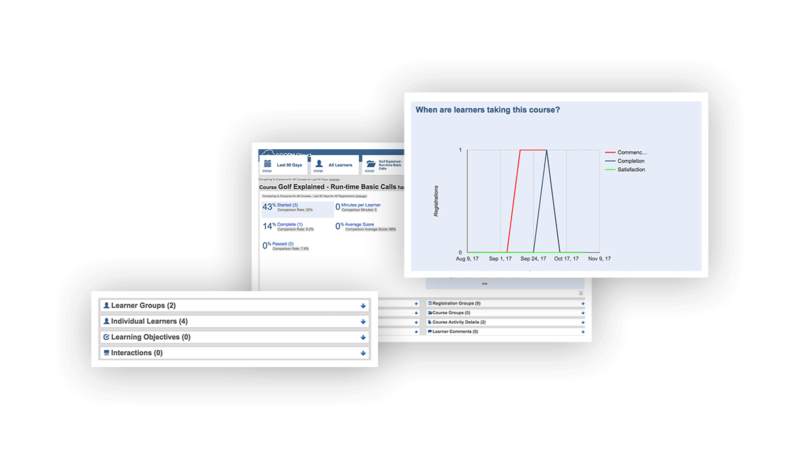
Report on learners’ course results
SCORM Cloud includes out of the box reports to help you track course completions, see question-level details and more. All reports drill down to the course-level or learner-level, or can be viewed in aggregate. SCORM Cloud reports are also easy to export if you want to do further analysis.
Get a demo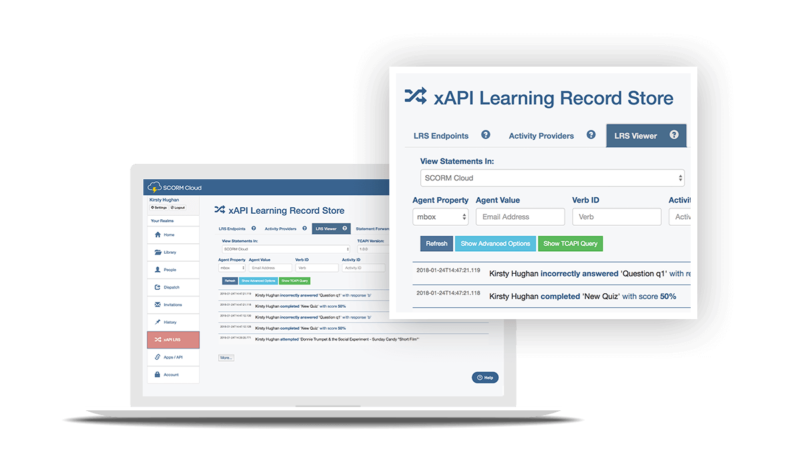
Capture xAPI statements in Cloud’s LRS
Each SCORM Cloud account comes with a Learning Record Store (or LRS) so you can get started with xAPI. Set up multiple activity providers, forward statements to other LRSs and query xAPI statements from SCORM Cloud’s LRS. Whether your learners experience xAPI activities assigned to them online or initiate learning on their own outside of Cloud, SCORM Cloud can capture their experiences.
Learn more about the LRS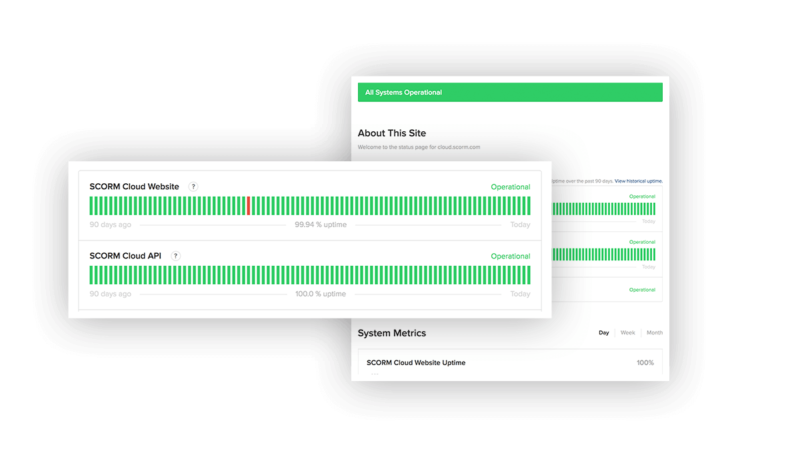
Rest easy with our delightful support
We take pride in delighting our customers. We even monitor the success of our support tickets with our Delight-O-Meter. After working with our support team, we dare to say that you’ll actually like working with SCORM. Our team doesn’t just fix things when they’re broken; they’ll teach you how things work (yes, the app and the standards) and make sure all of your questions are answered. You have a few ways to reach us: give us a call, shoot us an email or check out our Knowledge Base. We’re at your service.
View the SCORM Cloud Knowledge BaseTechnical Details
-
SCORM Cloud API
The SCORM Cloud API lets you bring all of the functionality of Cloud into your application. Our customizable, fully responsive player helps you import and launch SCORM, xAPI, AICC and cmi5 packages, or LTI Tools, along with PDFs and MP4 files. By using the SCORM Cloud API, you can seamlessly integrate standards support in your platform, while enjoying a fully hosted, reliable service.
Learn more -
SCORM Cloud Infrastructure
We have set up SCORM Cloud’s infrastructure to ensure it’s safe, secure, and available. SCORM Cloud is ISO-27001-certified, uses Amazon Web Services for infrastructure and CDN support, and utilizes the SANS 20 Critical Controls (20 CC) framework as our set of guiding principles for infrastructure and network security management. The SCORM Cloud Infrastructure page includes all the fine details regarding data access, privacy, availability and more.
Learn more
Sign up for a monthly SCORM Cloud account
Get started testing, delivering and tracking courses today. No matter which monthly pricing plan you choose, you can scale up or down whenever you’d like. If you want to learn the nitty gritty of SCORM Cloud pricing, our dedicated SCORM Cloud pricing page is just for you.
Prices displayed do not include sales taxes and are in USD.
Learn more about the latest plan and pricing changes here.
Not sure how many registrations you need?
SCORM Cloud pricing is based on the number of registrations you need each month. Registrations refer to the record of a learner being associated with a course. Uncertain which plan you need? Our monthly pricing calculator will help you identify the number of registrations you’ll need a month so you can choose the plan that is right for you.
Monthly pricing calculator

See how others are using it
We work with some of the world’s biggest brands to small-sized businesses across a broad range of verticals and applications. These success stories cover the challenges our clients faced and the results they achieved using SCORM Cloud.
View SCORM Cloud case studies
See what others are saying
It makes our day when we hear that “SCORM Cloud is a GAME CHANGER!!” and “This is my GO-TO SCORM evaluation software – couldn’t function without it!” But don’t just take our word for it. View our listing on Capterra to read reviews, ratings and comparisons, to help you find the right software for your needs.
View SCORM Cloud on CapterraWant to talk about SCORM Cloud?
Get in touch to talk about how SCORM Cloud can help you.